
Map Markers
You can now overlay item markers directly on the seed map — the first one available is the Stonesword Key.
How to use it
Look for the Markers button in the top-right corner of the map. It only appears on seeds that actually contain at least one marker.

Clicking it opens the Map Markers modal, where you can configure how each marker type is displayed.
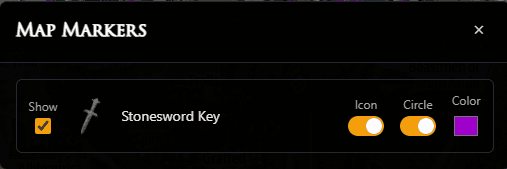
Per-marker controls
Each marker type has three independent options:
•Show — master toggle. Off by default. Enable it to start seeing markers on the map.
•Icon — displays the item icon at every matching slot coordinate.
•Circle — draws a circle around each location so it stands out at a glance.
•Color — choose any color for the circle and icon outline. The same color is used for both.
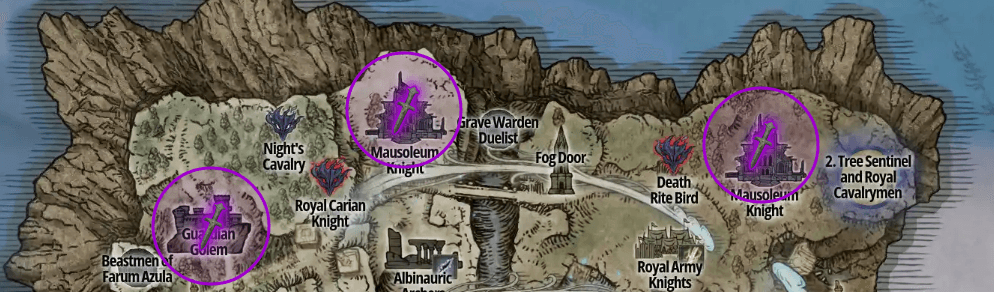
Stonesword Key
Stonesword Keys used to open Evergaols on the map are the first item added as a marker, based on popular demand. Feel free to suggest new markers.
All preferences (Show, Icon, Circle, color) are saved in your browser and restored automatically on your next visit.